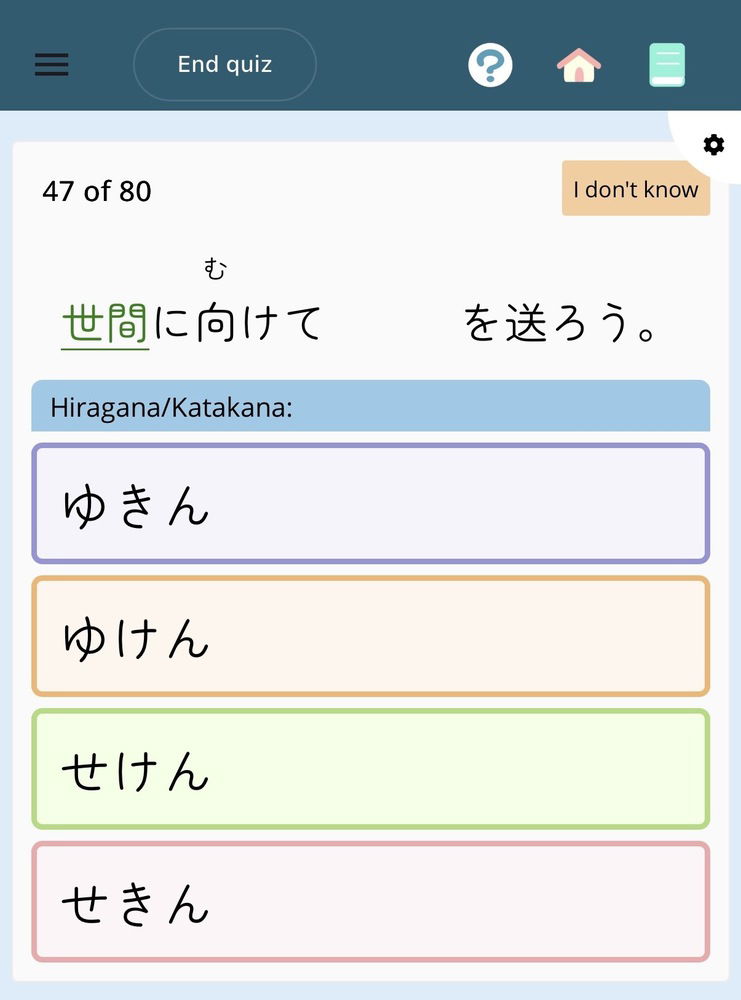
When using the Zenmaru font, English/full-width Latin characters in sentences do not render. This also affects the arrows used in wrong > right corrections following an incorrect quiz answer.
Sorry for the delayed reply. Is this still happening? As of now, I tested it on a sentence lookup (book, top-right corner): 世間に向けて and it did pull up the characters. I suppose it could be that there was some transmission issue when it tried to pull down that chunk of the font, but it would, frustratingly, take an uninstall/reinstall of the renshuu app on iOS (it appears you are on that?) to see if that is the case.
Yes, it is still happening, both on iOS and also while using Safari on macOS and after clearing caches. It seems that some of the affected characters are U+FF33 (full-width S), U+2192 (rightwards arrow), U+2193 (downwards arrow).
renshuu's @font-face declaration for Zen Maru Gothic specifies unicode-range: U+3400-4DB5,U+4E00-9FCB,U+F900-FA6A,U+3041-3096,U+3000-30FF,U+3005,U+2605,U+FF00-FF20; which includes none of those characters. Firefox, encountering this, falls back to using another font (via sans-serif resolving to something semi-reasonable); Safari seems to render a blank instead. The TTF renshuu serves for Zen Maru seems to include the relevant glyphs, so adding U+2192-2193, U+FF21-FF3A (and U+FF41-FF5A for full-width lower case, just in case) to the font-face's unicode-range list fixes this for me.
This is interesting - it is only happening on Safari and/or macOS. I can confirm it there, but works fine on windows. Will keep looking into it. Thanks!